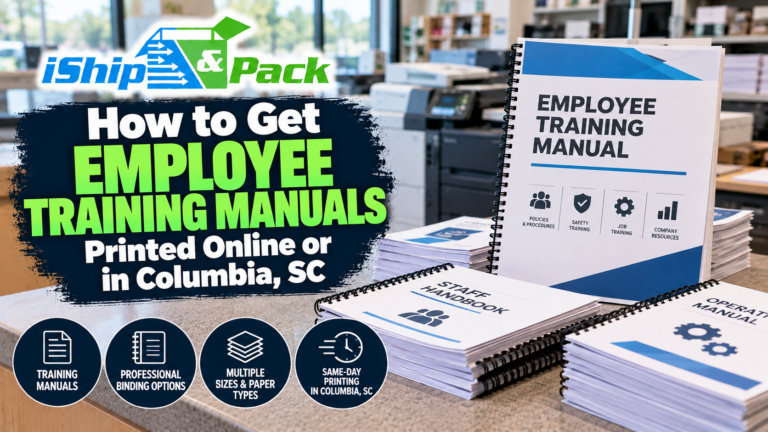

Employee Handbook Reprints and Training Manual Updates in Columbia, SC
The handbook was current when you printed it. Then a contact changed, a procedure improved, and the next new employee received a different PDF from the one the supervisor still uses. Keeping printed manuals useful takes a repeat-order system, not just a binding choice.
This guide to training manual reprints in Columbia, SC, focuses on updates, version control, and onboarding packets. If you are starting your first project, our employee training manual printing guide covers the broader ordering process.
Keep one approved master file
Choose who can approve the handbook or procedure manual, then keep the current PDF in a clearly identified location. Put a version date or revision number inside the document and use a matching filename. “Final” becomes confusing when three different people each have a file called final.
Keep older versions for your own records according to your organization’s policies, but separate them from the folder used to order current copies. Tell the printer which file supersedes the previous one rather than relying on an email chain to explain it.
Separate policy approval from production approval
Your responsible manager, HR professional, or adviser should approve the content. The print proof checks page order, readability, color, margins, and finishing. A printer’s file check does not establish that an employment policy is complete, lawful, or suitable for your business.
Decide whether to replace pages or the whole manual
A small contact-page change may call for replacement sheets if the binding format and existing copies make that practical. A substantial rewrite may be clearer as a complete new edition. Page numbers, section breaks, double-sided printing, and any inserted blanks all affect whether replacement pages will fit sensibly.
Comb binding can support organized reference copies, but do not assume every existing bound book can be updated identically. Bring a sample and ask about the comb, hole pattern, cover condition, and page count. A slightly different replacement sheet can become awkward if its orientation or margins do not match.
Make onboarding packets repeatable
List everything that belongs in a new hire’s set: the current handbook, role-specific instructions, training checklist, contact sheet, and any separate acknowledgment forms your organization requires. Decide which pieces belong in the bound manual and which should remain loose for completion or return.
A restaurant may need a shared operations guide plus a short role insert. A contractor might need field procedures separate from office policies. A nonprofit may want a volunteer packet that uses different sections from the employee version. Label the versions clearly so similar-looking stacks do not become interchangeable.
Specify color and finishing where they help
Black-and-white pages can be practical for text-heavy material. Color is more useful when a diagram or safety illustration depends on it. Identify those pages in the order and check that any monochrome pages still make sense. Instructions that say “follow the red line” need attention if the page prints gray.
Ask about covers, paper, binding capacity, and margins through our book printing and binding services. A manual used daily in a work area has different needs from a packet read during one orientation meeting. Describe the setting so the production choices support the job.
Use a simple reprint order checklist
- Approved PDF filename and version date.
- Quantity of each employee or role-specific edition.
- Finished size and single- or double-sided printing.
- Color pages, cover choices, and binding instructions.
- Loose inserts and required assembly order.
- Whether a proof is needed before the full run.
- Requested completion time and pickup contact.
Save the approved specification with the file. Repeat orders become easier when the person covering for you can send a complete request without reconstructing last month’s decisions.
Common reprint questions
Should we print a year’s supply at once?
Consider how often the content changes and how many people actually need a copy. A smaller repeat run can reduce outdated stock. Compare quantities after the specifications are settled.
Can you print just the revised section?
Ask with the current file and a physical sample. The answer depends on the format and whether the replacement integrates cleanly.
How do we request an update quote?
Send the current PDF and checklist to info@ishipcolumbia.com. iShip&Pack’s Columbia print counter can help plan consistent handbook reprints and complete onboarding sets. Call 803-303-8867 to discuss a sample or a repeat order.